 LMS
LMSFor schools, colleges, academies and universities
Tests stay on paper. The marking, the admin and the insight are done for you.
Students write in printed answer booklets. Scan them with a phone or a copier, and LMS reads the handwriting, suggests marks and shows where each class needs help. A teacher checks and releases every result.
Staff, students and parents: sign in with your school code.
How it works
From a printed paper to results every family can see
Five steps, and the teacher decides at each one that matters.
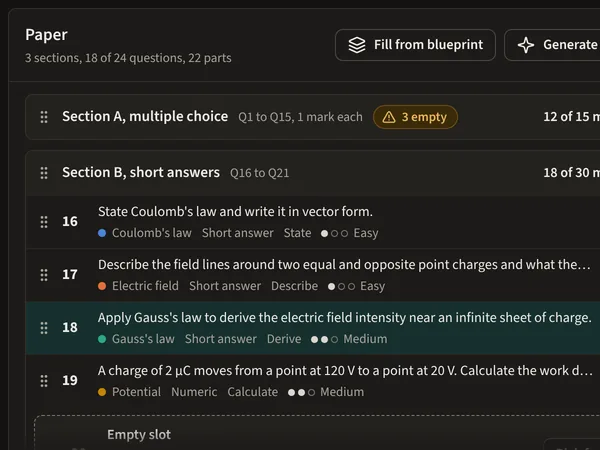
Step 1: Write or generate a test
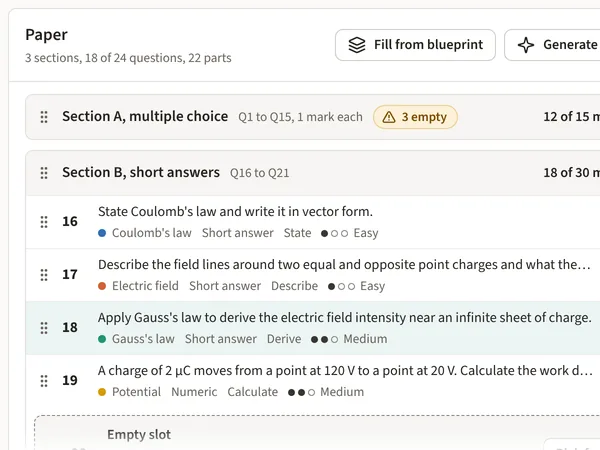
Build a paper from your question bank, or ask the AI to draft questions on the topics you choose. Every draft waits for a teacher.
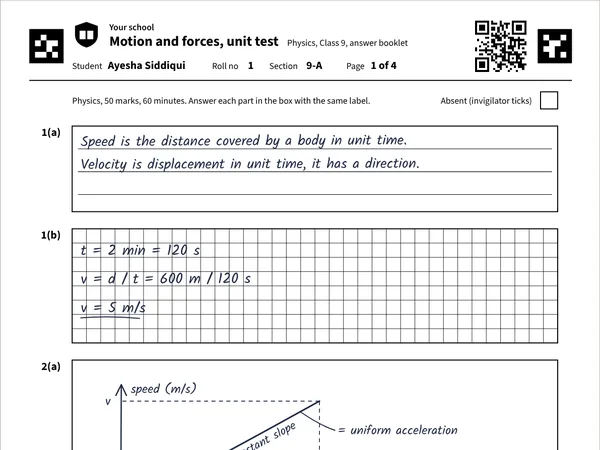
Step 2: Print personal answer booklets
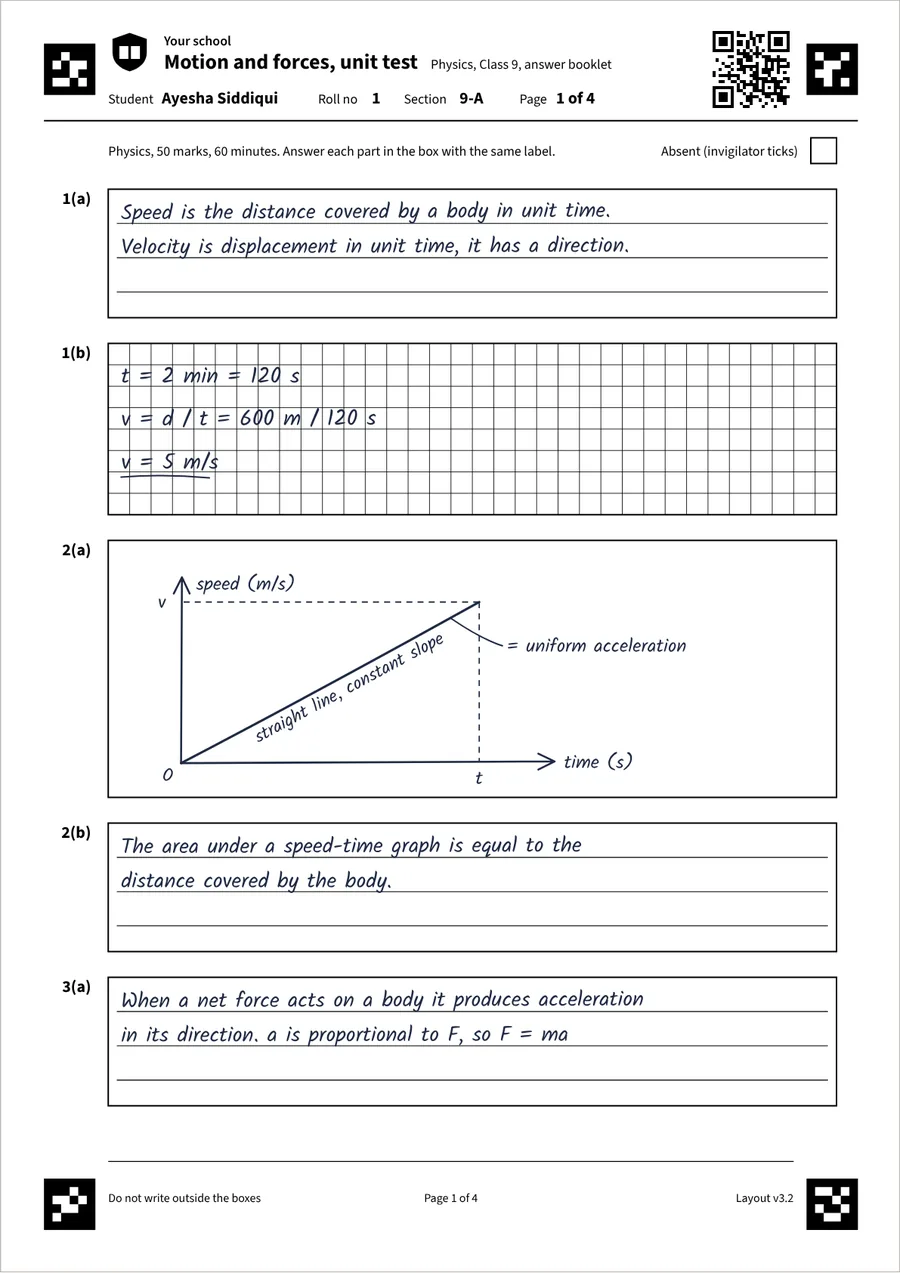
Each student gets a booklet with their name, a QR code and four corner markers, so every page finds its way back.
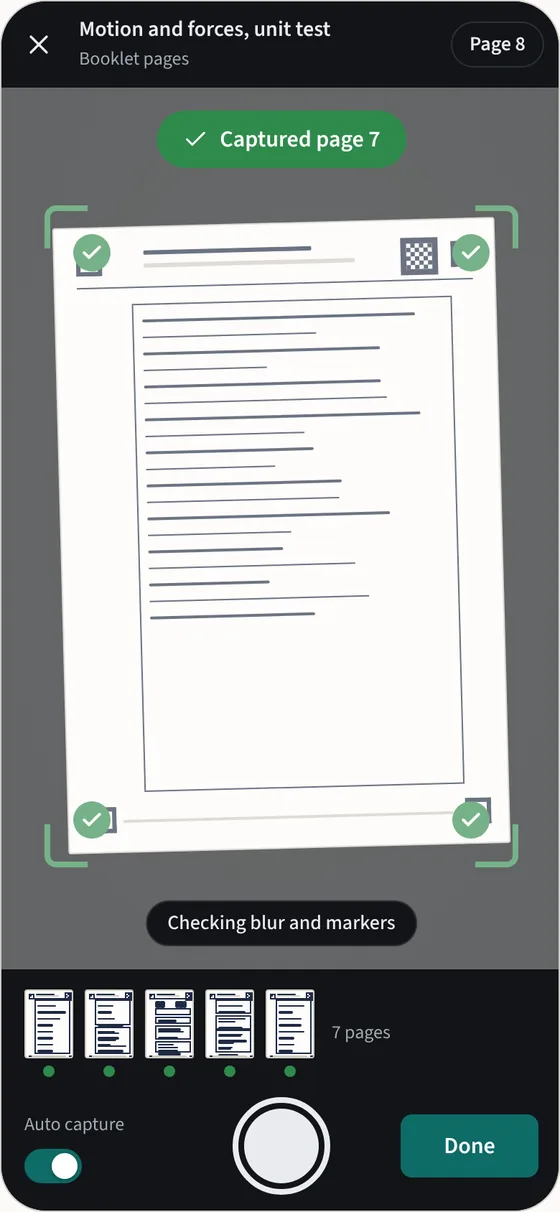
Step 3: Scan with a phone or scanner
Photograph pages with any phone, or upload a PDF from the school copier. Pages can arrive in any order.
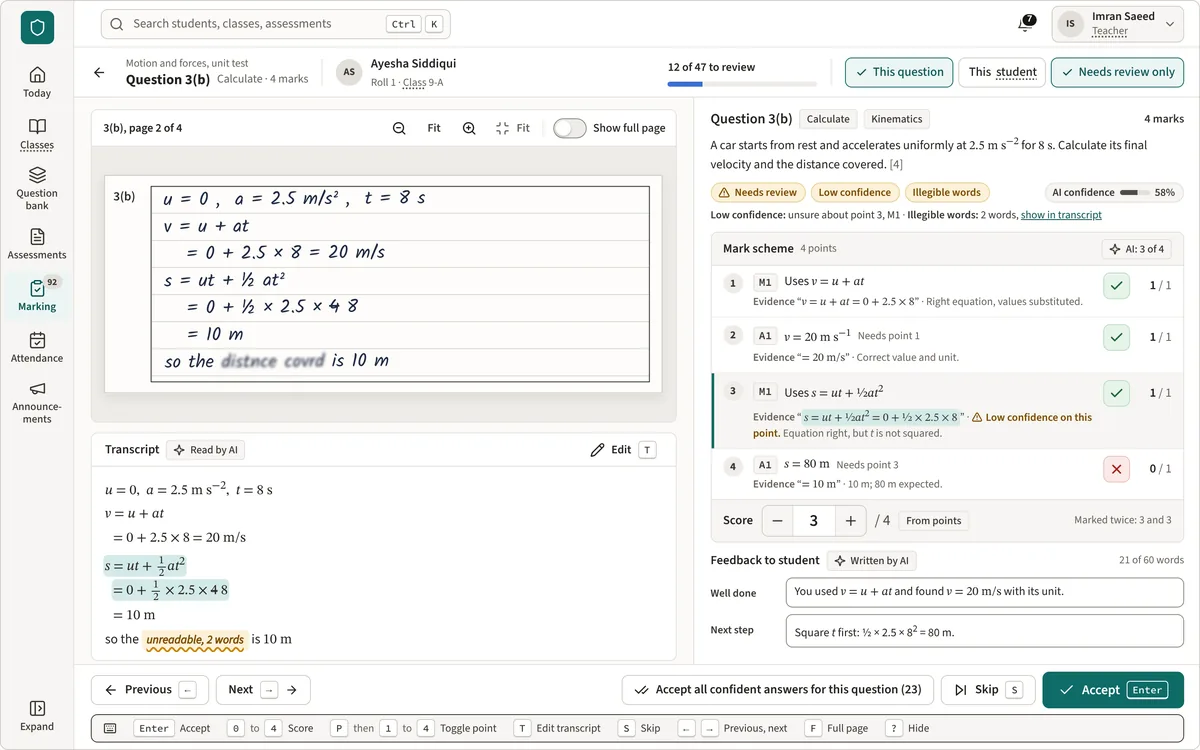
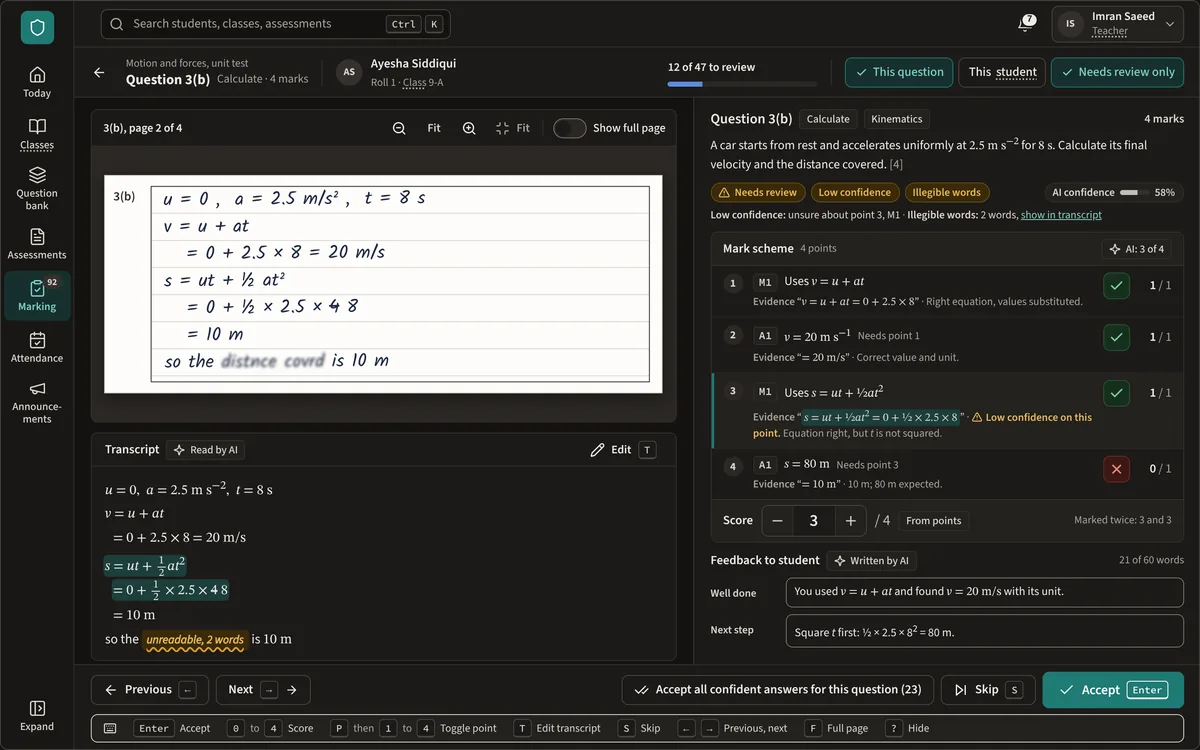
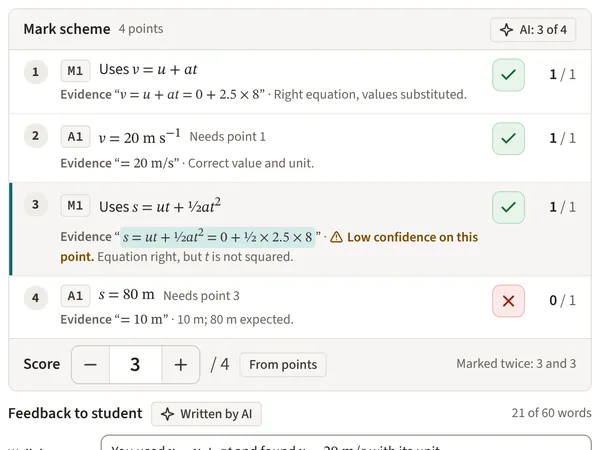
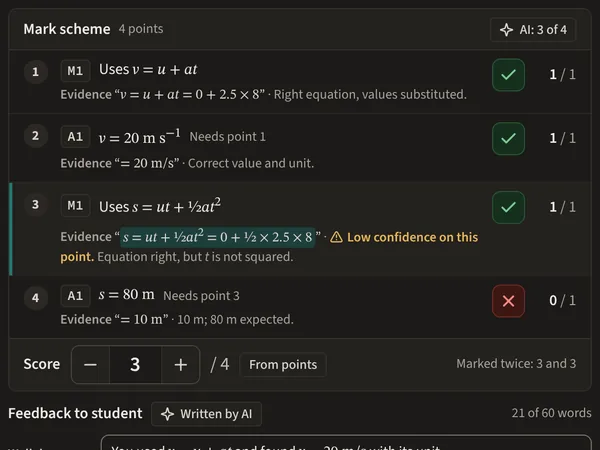
Step 4: AI reads and marks; the teacher reviews
Handwriting is read and marked against your mark scheme. Anything uncertain goes to the teacher first.
Step 5: Release, and see who needs help
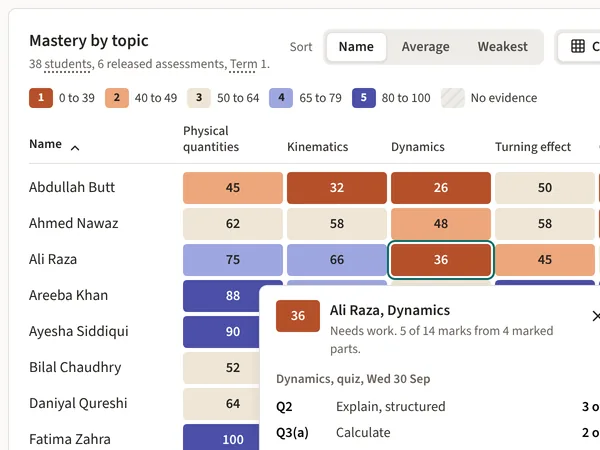
Students and parents see marks and next steps. Teachers see which topics each class finds hard.
What changes
What changes for your school
Hours of marking handed back
Multiple choice is marked as soon as pages are scanned, and written answers arrive with suggested marks. Teachers spend their time on the answers that need judgement.
Consistent marking, teacher in control
Every answer is marked against the same mark scheme, and longer answers are marked twice. Anything uncertain or close to a grade boundary is flagged for the teacher.
Results and next steps for families
Once results are released, students and parents see each mark, one thing done well and one next step, on their phones.
Leaders see where each class struggles
Heads and coordinators see results by topic, class and level, and which students need help, without collecting spreadsheets.
Teacher in control
The teacher is always in control
AI does the reading and the first pass at marking. People make the decisions.
- Nothing marked by AI reaches a student or parent until a teacher has reviewed it and pressed Release.
- Objective questions are marked by code, not AI. Multiple choice, true or false and numeric answers follow the answer key exactly.
- Totals are added up by code. The AI suggests marks for each point; it never adds up a total.
- Every AI decision is recorded with the model and instructions used, so any mark can be traced and checked.
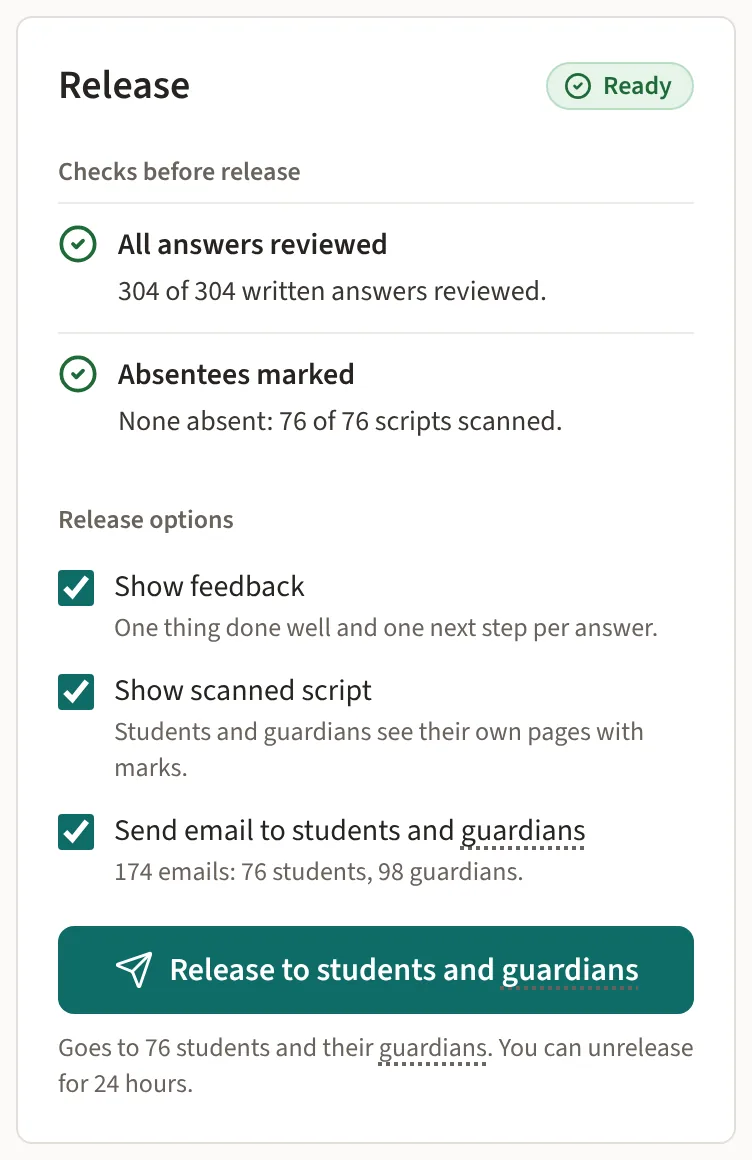
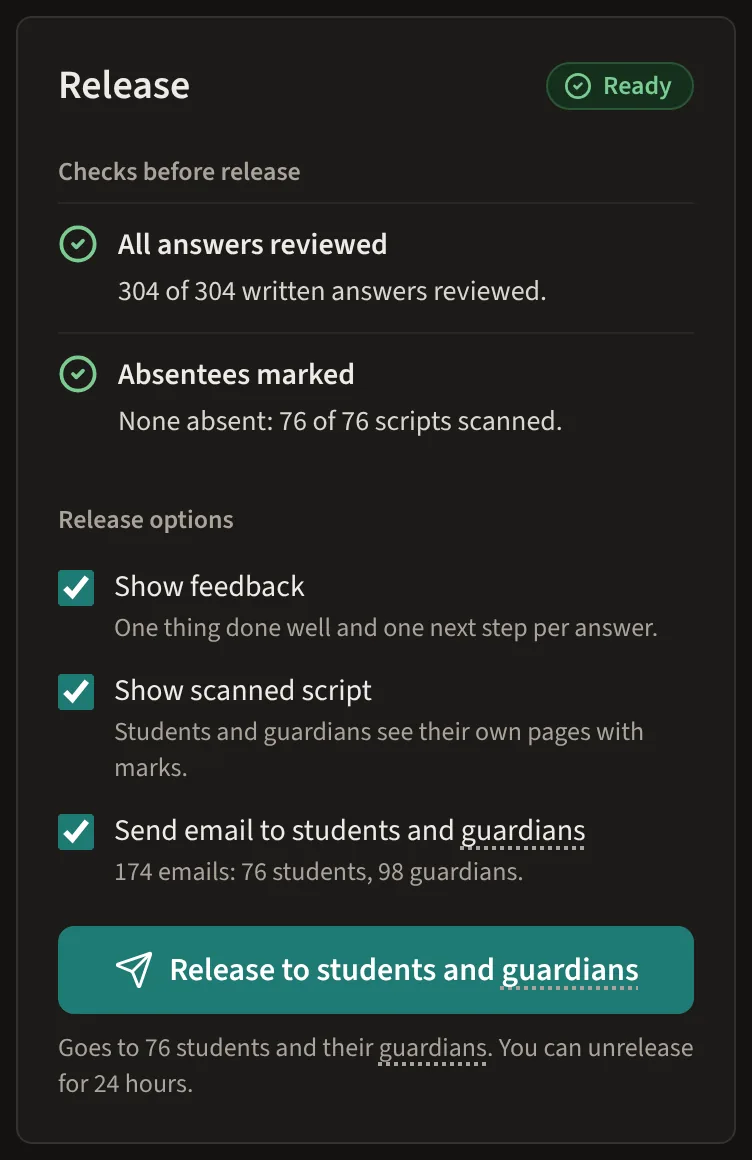
Results wait here until a teacher releases them.
Modules
One core, with the parts your school needs
Every school gets the paper workflow. Add the rest when you are ready.
Paper tests, marked and released
Everything a school needs to run tests on paper with AI-assisted marking, on AI we manage for you or your own AI key.
- Question bank
- AI test generation (optional)
- Printed answer booklets
- Scanning by phone or scanner
- AI-assisted marking with teacher review
- Release of results
- Gradebook
- Results for teachers and leaders
Add what you use
Each add-on is priced separately and works with the same students, classes and results.
- Student portal
- Parent portal
- Attendance
- Timetable
- Report cards
- Online quizzes
- Announcements
- Insights
Security and privacy
Security and privacy, in plain terms
Each school is kept apart
Your school's data is separated from every other school's, and every request is checked against the signed-in school.
No names sent to AI
Student names, roll numbers and other personal details are never sent to an AI service. The name area of each page is masked before it is read.
Teachers release results
Marks and feedback reach students and parents only after a teacher releases them.
Keys, sign in and backups
Keys are encrypted, including your school's own AI key if you bring one, sign in supports two-step verification, and data is backed up every night.
See it with one of your own tests
Book a demo to see the whole journey, from a printed booklet to released results, or send us a question first.